












* Campaign Set Up: This is where you set your campaign name, campaign goal, budget, and dates.
* Targeting: This is where you set your targeting by location, content placement, demographics, interests & behaviors and more. As you select your targeting, you will see a forecast widget on the right hand side that shows the number of estimated impressions and price per thousand impressions (CPM). Generally speaking, the broader your targeting, the lower the CPM.
* Creative: This is where you upload your video ad. If your video ad is ready, upload your ad by clicking '+ New Creative'. If you do not have your video ad ready yet, select 'Add Creative Later.'
* Payment: This is where you review the set up of your campaign and make any necessary changes. When you are ready, click 'Checkout' and proceed to the Payment page.
CTV CREATIVE
CTV CREATIVETech Specs
Your ad will be seen on the largest screen in the house, often in surround sound. Let's make sure your brand is ready to be seen in hi-def.
| ATTRIBUTE | VIDEO TRACK | AUDIO CHANNELS |
|---|---|---|
| Bit Depth | 8 bits minimum | 16 or 24 bits only |
| Bit Rate | 6 Mbps minimum | 192 KBPS minimum, 48 kHz Sample Rate |
| Duration | :15 or :30 | Must match video duration |
| Dimensions | 1280x720 (16:9) minimum | |
| Codec(s) | mp4 (H.264 high profile) (preferred), mov (Apple ProRes 422 or Apple ProRes 422HQ), Interlaced video is not an accepted scan type, must be Progressive | |
| Frame rate | 23.98 (23.976), 24, 25, 29.97, or 30 fps | |
| Color space | 4:2:2 or 4:2:0 | |
| Channels | 2 Channels only, AAC Codex, Constant frame rate only (in native format) | |
| File size | 10 GB max, No minimum as long as asset meets resolution and bit rate requirements | |
| Slates | Submit without leaders, slates, countdowns | |
| Max Peak | Never excess -6db | |
| Loudness average | -24 LUFS +/- 2 LUFS, based on aTSC A/85 measurement standard | |
| Guidance | No black bars, Constant frame rate only (in native format), Remove any Telecine or 3:2 pull-down added for broadcast, Please make content progressive using adaptive de-interlace with no frame blending |
Get Creative
No matter where you are in the creative process, whether you’re starting from scratch or have a TV-ready ad in hand, Paramount Ads Manager makes it easy to launch your CTV campaign.
No Creative? No Problem.
No matter where you are in the creative process, whether you're starting from scratch or have a TV-ready ad in hand, Paramount Ads Manager makes it easy to launch your CTV campaign.
Learn More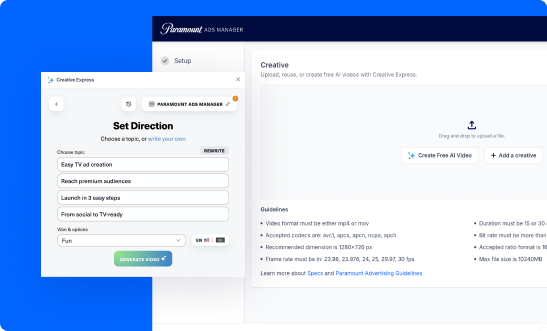


LANDMAN | PARAMOUNT+
faq