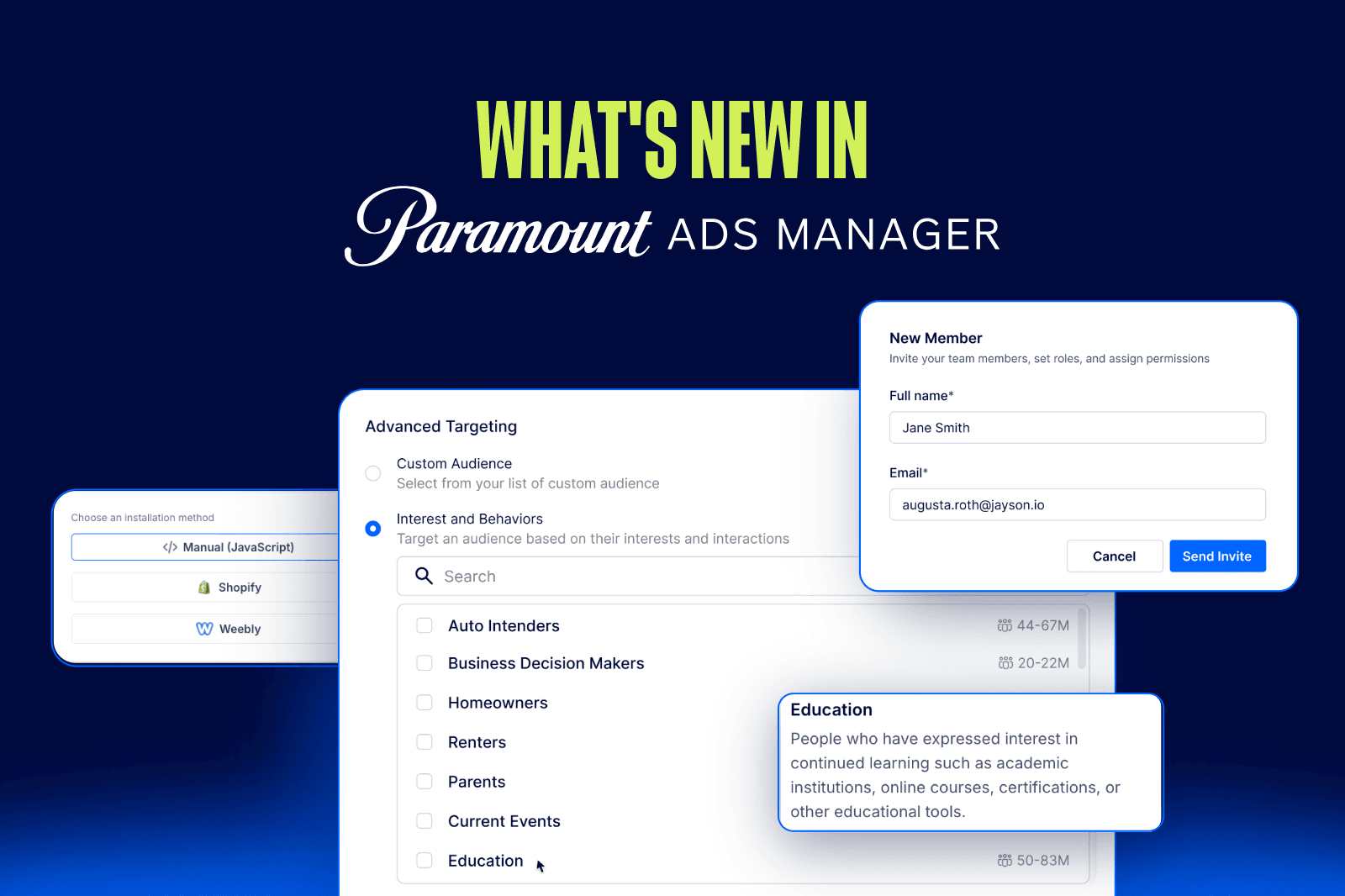
You asked, we listened. We’re constantly rolling out updates designed to make Paramount Ads Manager faster, smarter, and more effective for advertisers like you. From new targeting tools to easier creative setup and real-time performance insights, we are all about making your ad life easier (and your results better).
Like any good series, there’s always a new season in the works. This post will be updated regularly as we roll out more product features and tools, so stay tuned for what’s coming to a screen near you.
Q3 2026 Updates:
This latest drop of updates is one of our biggest yet. From a new AI-powered targeting option to cable buying, new campaign goals, and faster creative workflows, here is everything that is now live in Paramount Ads Manager.
Peak Audience: AI-Powered Targeting Built for Performance
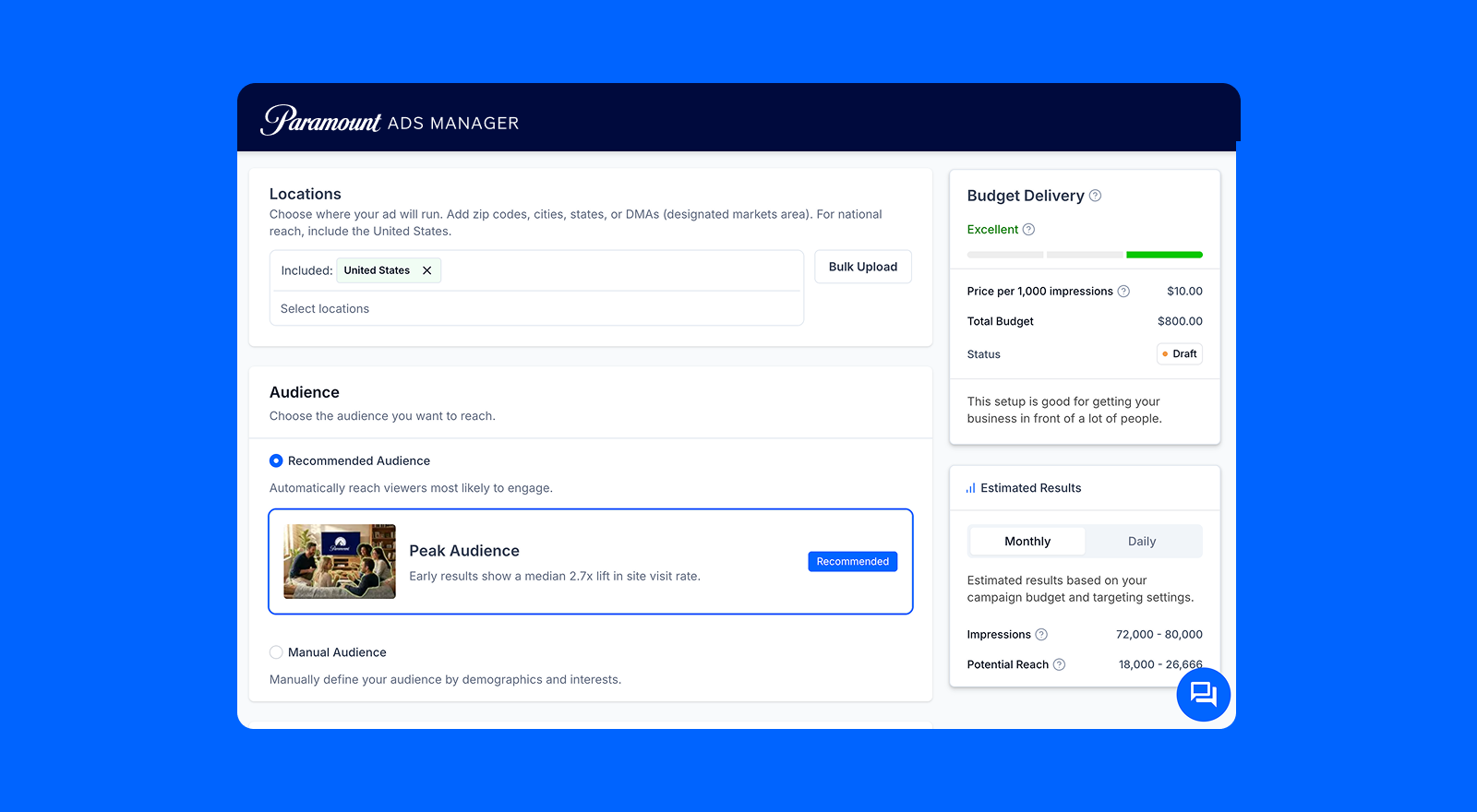
Peak Audience is a new AI-powered targeting option that automatically finds and reaches the viewers most likely to convert, with no audience building, customer lists, or data uploads required. It runs on platform signals, pixel data, and CTV-specific viewership behavior, getting smarter throughout your campaign as it shifts delivery toward higher-performing users.
In beta testing, campaigns using Peak Audience saw a median 2.7x lift in site visit rate, with top campaigns reaching up to 8x.
With Peak Audience, you can:
- Reach high-intent viewers automatically, with no manual targeting setup required
- Let the system optimize delivery throughout your campaign without any adjustments on your end
- Get stronger performance from your existing budget, without needing first-party data to get started
Paramount Ads Manager Pixel: Easier Setup for Smarter Measurement
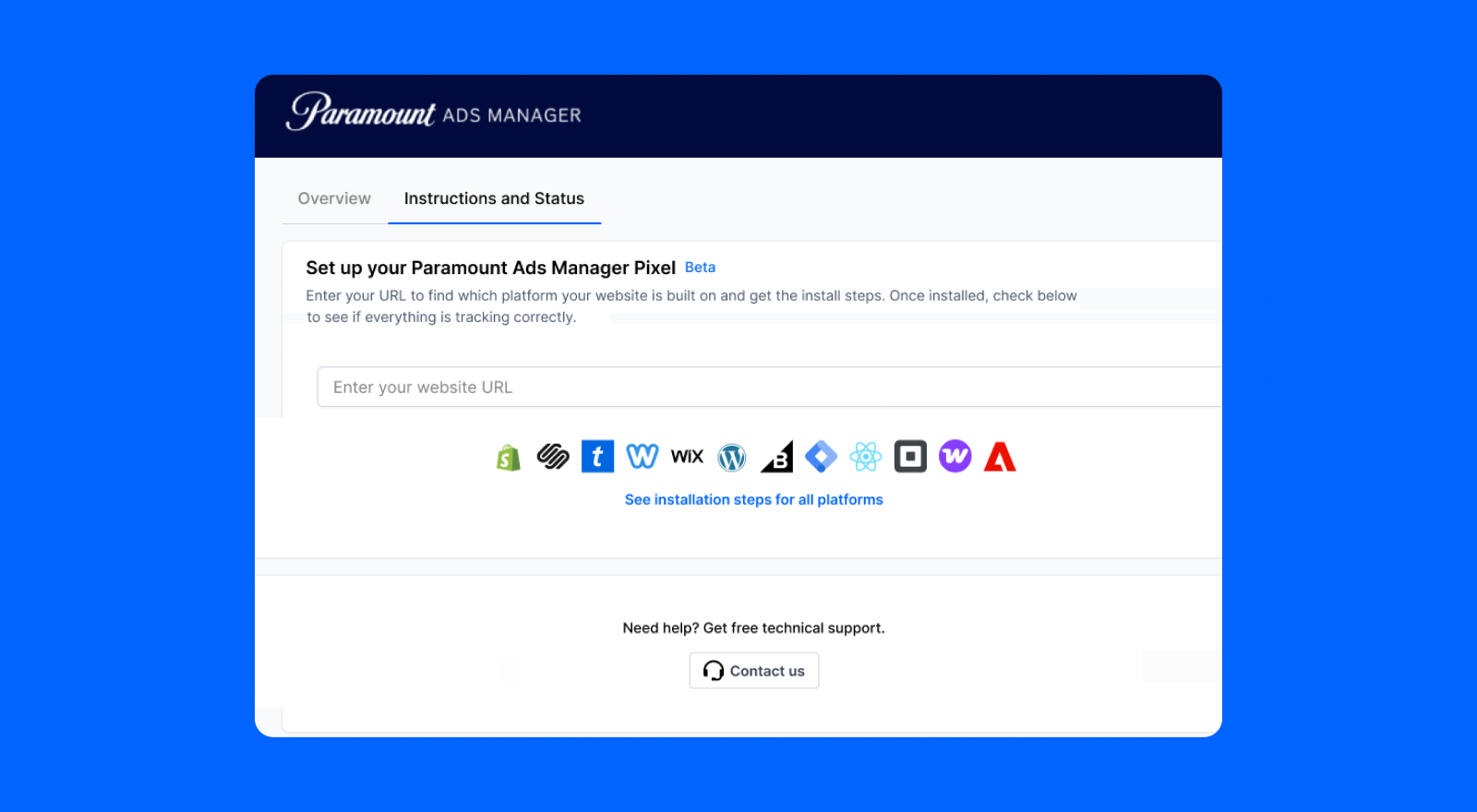
The Paramount Ads Manager Pixel setup experience has been redesigned from the ground up, starting with your website URL. Paste it in and the platform identifies where your site is built, and surfaces the exact installation steps for your site: whether you are on Shopify, WordPress, Wix, or another supported platform (see our last batch of updates below).
With the revamped Pixel setup, you can:
- Get platform-specific installation steps tailored to your website
- Confirm your Pixel is live (and working) before your next campaign launches
Once your Pixel is live, you can get straight to what the pixel unlocks, with less guesswork on how to get there:
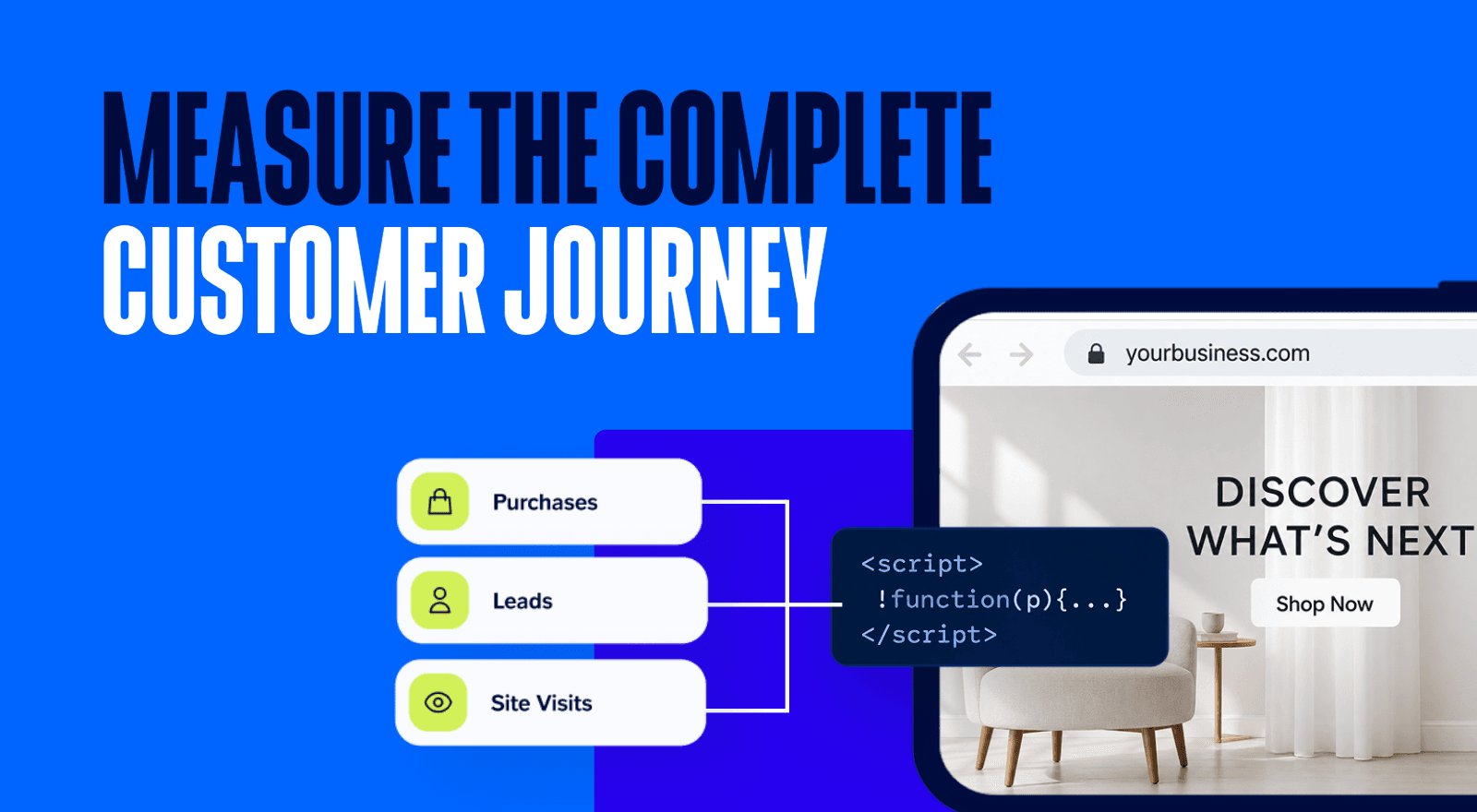
- Measure down-funnel metrics like site visits, leads, and purchases driven by your CTV campaigns
- Unlock features like retargeting to keep building on what works
New Campaign Goals: Sales and Leads
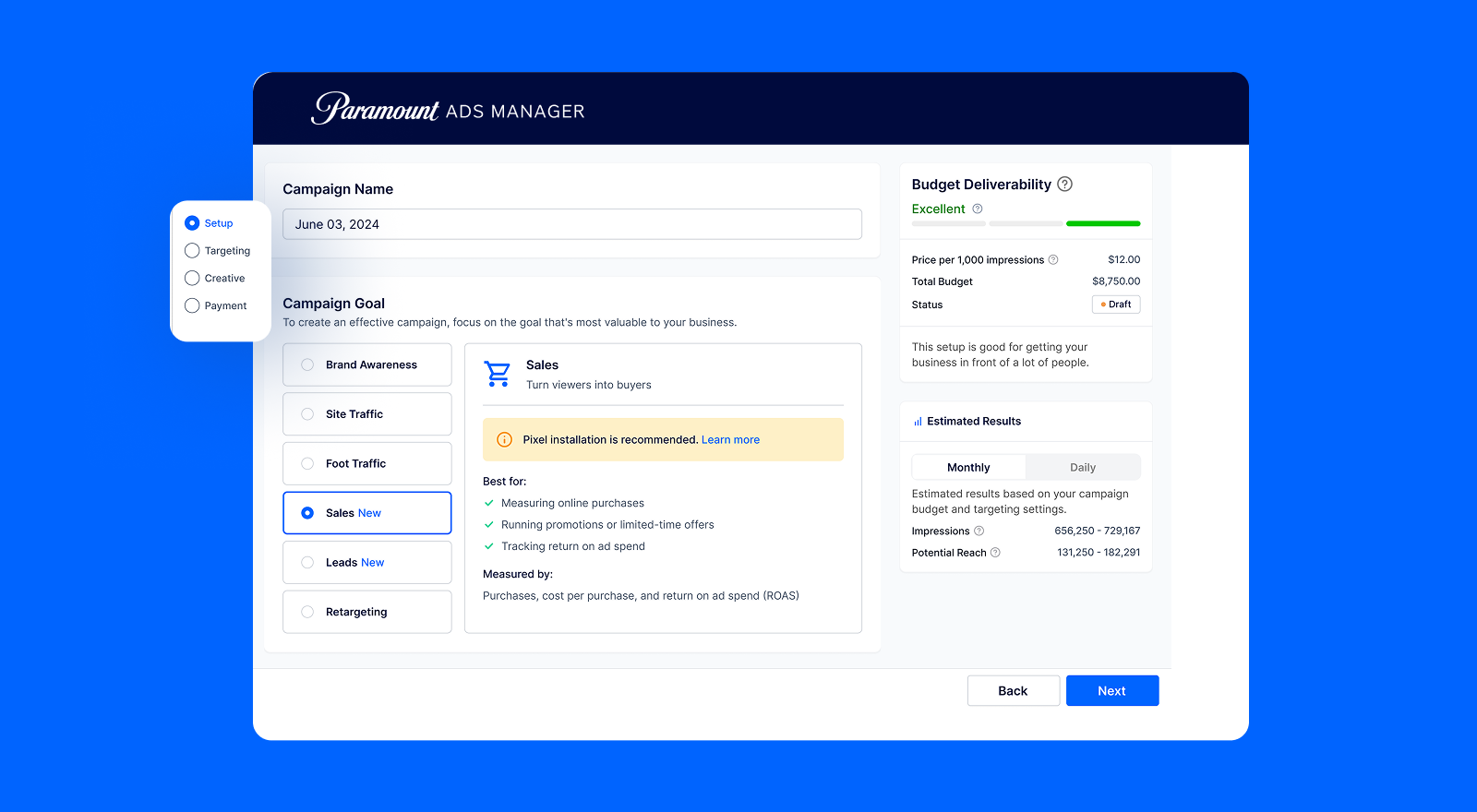
Paramount Ads Manager now supports two new campaign goals: Sales and Leads. Sales is built for tracking purchases; Leads is for measuring sign-ups, form fills, and consultations.
Pick your goal and your dashboard automatically tracks the KPIs that matter to you from day one. And when you have the Paramount Ads Manager Pixel installed, conversion reporting including purchases, ROAS, and cost per lead unlocks automatically, so you can see exactly what your CTV campaigns are driving.
With our new Campaign Goals, you can:
- Run CTV campaigns built around the outcomes your business is actually measured on
- Evaluate performance using the same goal-based framework you already use across social and search
- Unlock conversion reporting automatically when you have the Paramount Ads Manager Pixel installed
CTV Ads Testing & Optimization: Which Metrics to Track and What to Test >
Cable Buying: More Reach, More Households, One Platform
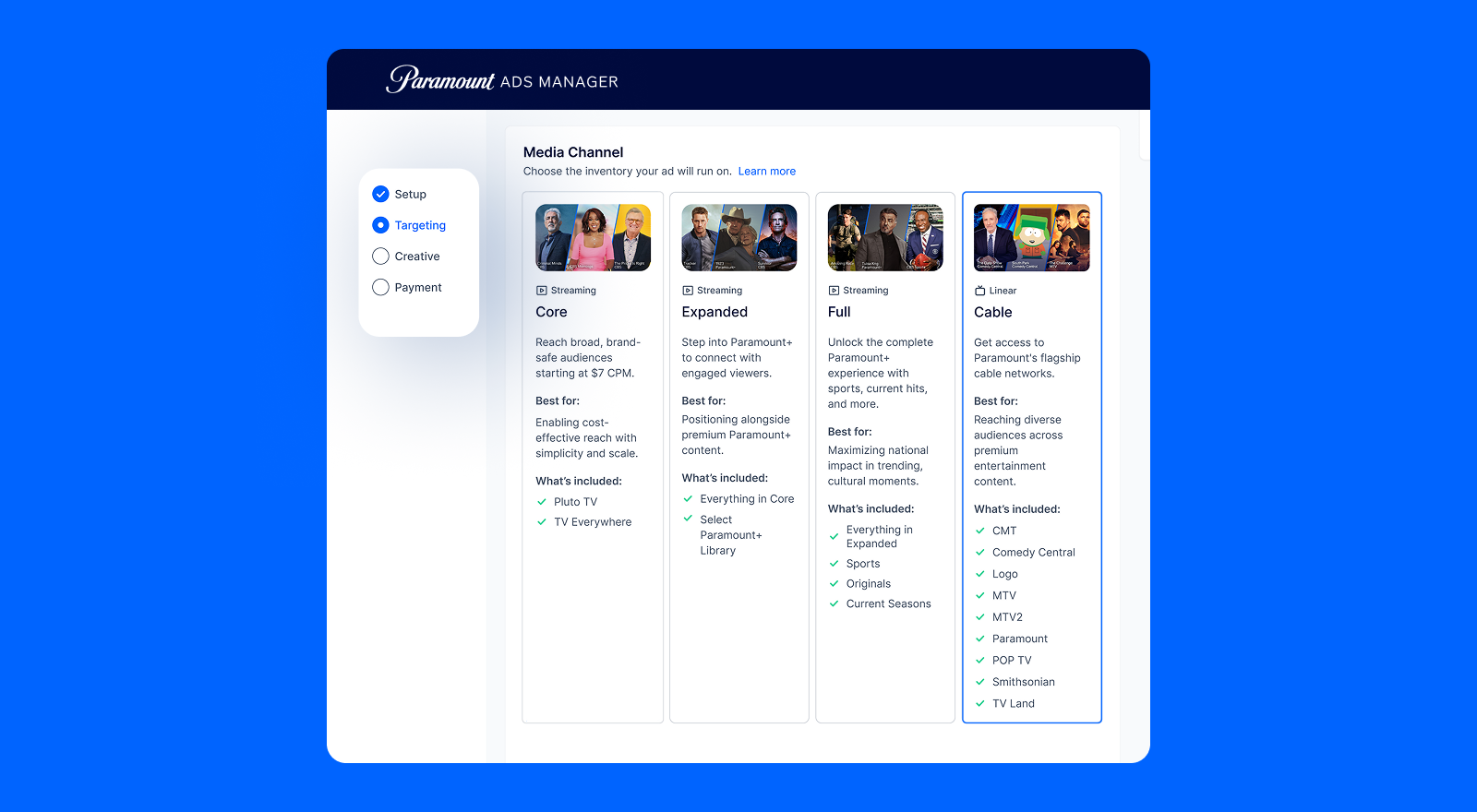
You can now run ads across Paramount's biggest streaming and cable networks in one place. Paramount Ads Manager now gives you access to 60M+ cable TV households across a portfolio of premium cable networks spanning music, comedy, drama, country, and documentary content.
Premium cable networks include: CMT, CMT Music, Comedy Central, Logo, MTV, MTV Classic, MTV2, MTV Tr3s, Paramount Network, Pop TV, Smithsonian, and TV Land.
With cable buying, you can:
- Extend your reach to incremental audiences watching cable networks
- Manage both streaming and cable campaigns in one place
- See exactly where your ads ran with show-level reporting across your cable buys
Spanish Placement: Reach Spanish-Speaking Audiences Across Paramount Streaming
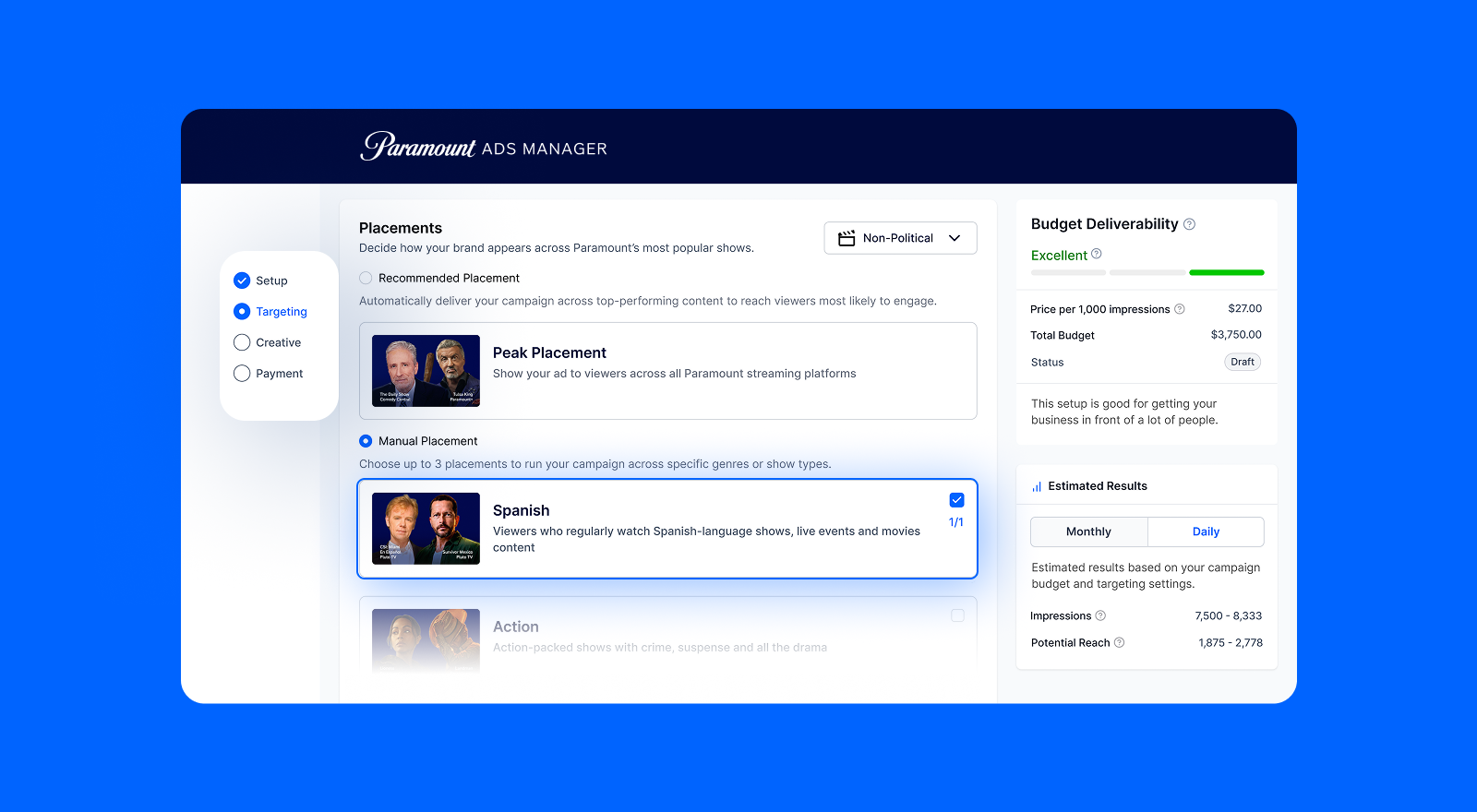
Spanish is a new option in the Placement section that gives you direct, self-serve access to Paramount's full Spanish-language streaming inventory in a single click.
It layers on top of your existing geo, demo, and interest targeting, so you can refine your audience further without rebuilding your campaign from scratch. Note: Spanish Placement runs on its own and cannot be combined with other placements. Make sure your creative is in Spanish to match the inventory.
With Spanish Placement, you can:
- Reach Spanish-speaking audiences across Paramount's full Spanish-language streaming footprint
- Layer on existing targeting to sharpen your audience without starting over
- Access a wide variety of content in one self-serve placement
Bulk Creative Upload: Faster Uploads, Less Waiting
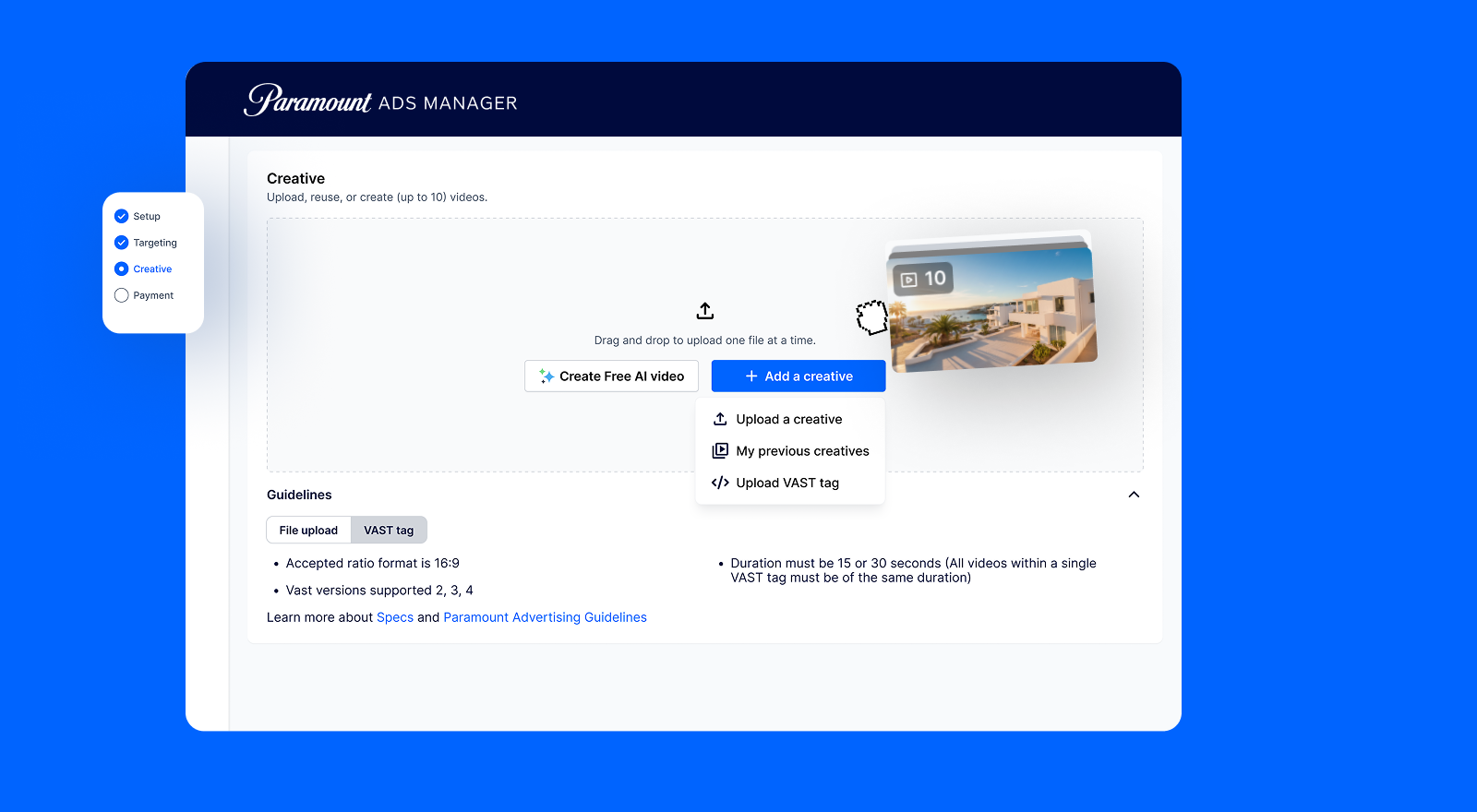
Uploading video creatives just got a lot faster. You can now add up to 10 video creatives at once instead of one at a time. Videos process automatically in a background queue, so you can keep working while they upload. Each file validates individually, meaning one failure does not hold up the rest, and you can see exactly why something failed without it affecting your other creatives.
Clear in-platform status tracking keeps you informed at every step so you always know where your creatives are in the approval process.
With bulk creative upload, you can:
- Upload up to 10 videos at once, with no waiting between files
- Keep working while creatives process in the background
- Identify and fix individual upload issues without disrupting the rest of your queue
VAST Tag: More Support for Third-Party Ad Servers
Paramount Ads Manager now accepts VAST tag submissions, making it easier to bring your existing ad server workflow into the platform. In the Creative step of your campaign setup, you can submit a VAST tag URL instead of uploading a video file directly. The platform validates the tag, and it runs and reports alongside all your other creatives in one dashboard.
Tags are reusable across campaigns, and Paramount Ads Manager auto-scans for changes hourly so your campaigns always stay current. No manual coordination, no duplicate uploads, no visibility gaps once your campaign launches.
With VAST tag support, you can:
- Submit tags directly in the platform without manual AdOps coordination
- Reuse tags across campaigns with automatic hourly syncing
- See performance alongside all your other creatives in one unified dashboard
- Keep your existing third-party measurement and tracking consistent across platforms
Ready to test out the new updates for yourself? Try Them Out >
Q2 2026 Updates
For our latest round of updates, we focused on the things that make the biggest difference day to day: from more Pixel integrations, to smarter reporting, and more updates that will make everyday workflows a whole lot smoother.
Multi-User Account Access
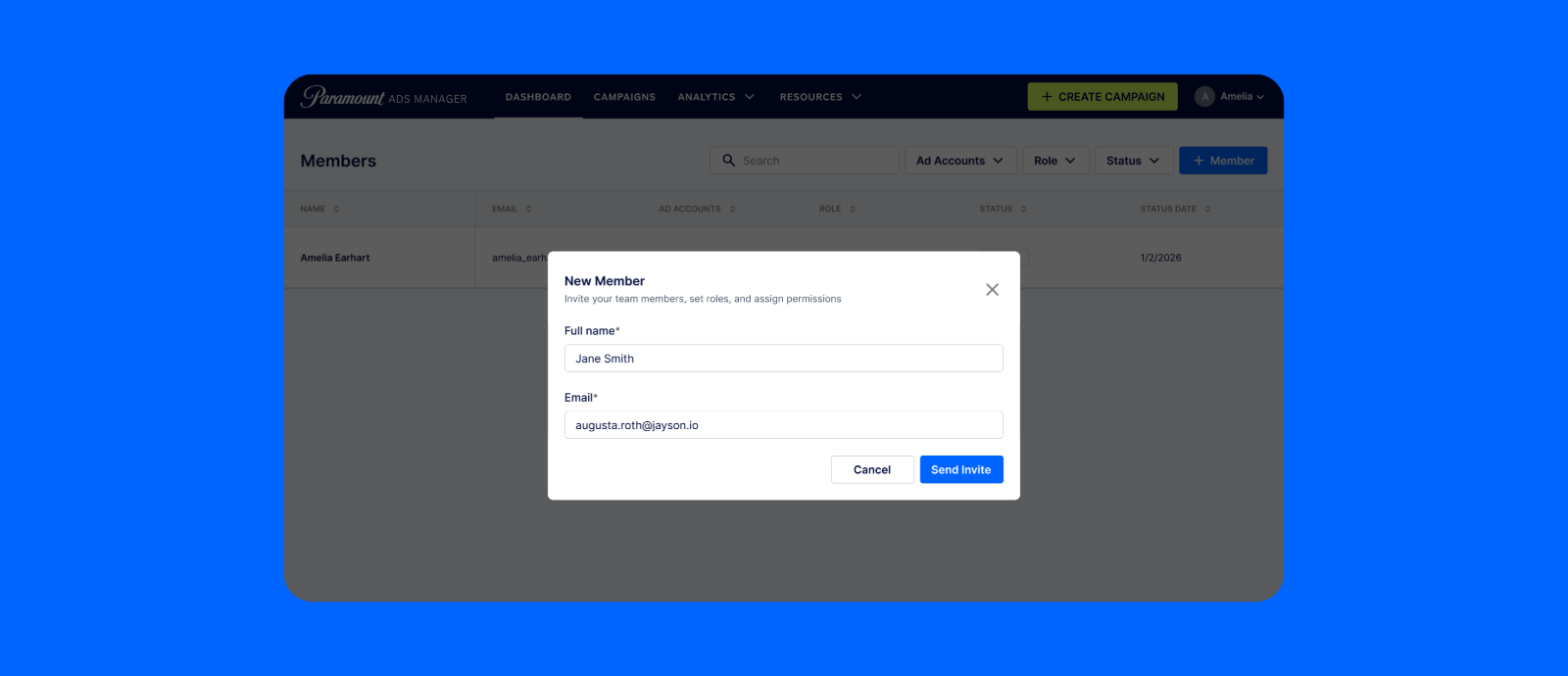
Teamwork (in Paramount Ads Manager) makes the dream work. You can now add (or remove) multiple admin users to your account, making it easy for anyone on your team to set up, run, and manage campaigns together.
Work for (or with) an agency? This will be especially useful for you to get both internal and external folks direct access to the platform, with no extra back-and-forth login shares or data exports required.
FYI: To invite additional members, click on your account name and select Member Management from the dropdown menu.
With multi-user access, you can:
- Set up and manage campaigns collaboratively with your full team
- Give clients or colleagues direct access to the platform
- Add and remove members as your team or account needs change
More Supported Platforms for Pixel Installation
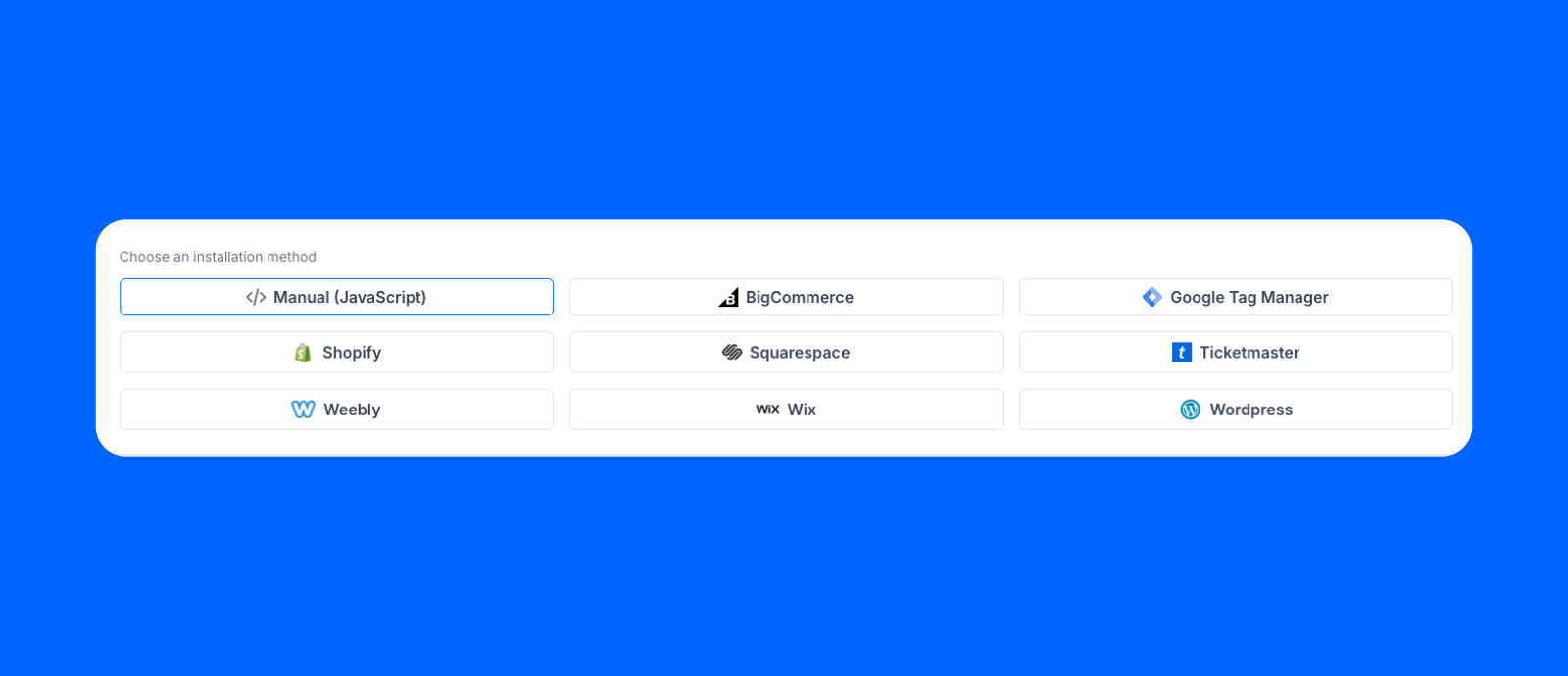
The Paramount Ads Manager Pixel now installs natively across even more of the platforms advertisers rely on, including Squarespace, Wix, BigCommerce, and Weebly. We also added an image pixel option for sites that don't support standard JavaScript tags.
Once deployed, your Pixel measures site visits (and site visit rates, and cost per site visit) along with leads and purchases, and powers Retargeting and Performance Multiplier from a single tag. Think of it as the foundation of your Paramount Ads Manager experience, unlocking smarter buying, deeper insights, and more advanced features down the line.
Learn more about installing the Paramount Ads Manager Pixel >
Smarter Reporting Dashboard Views
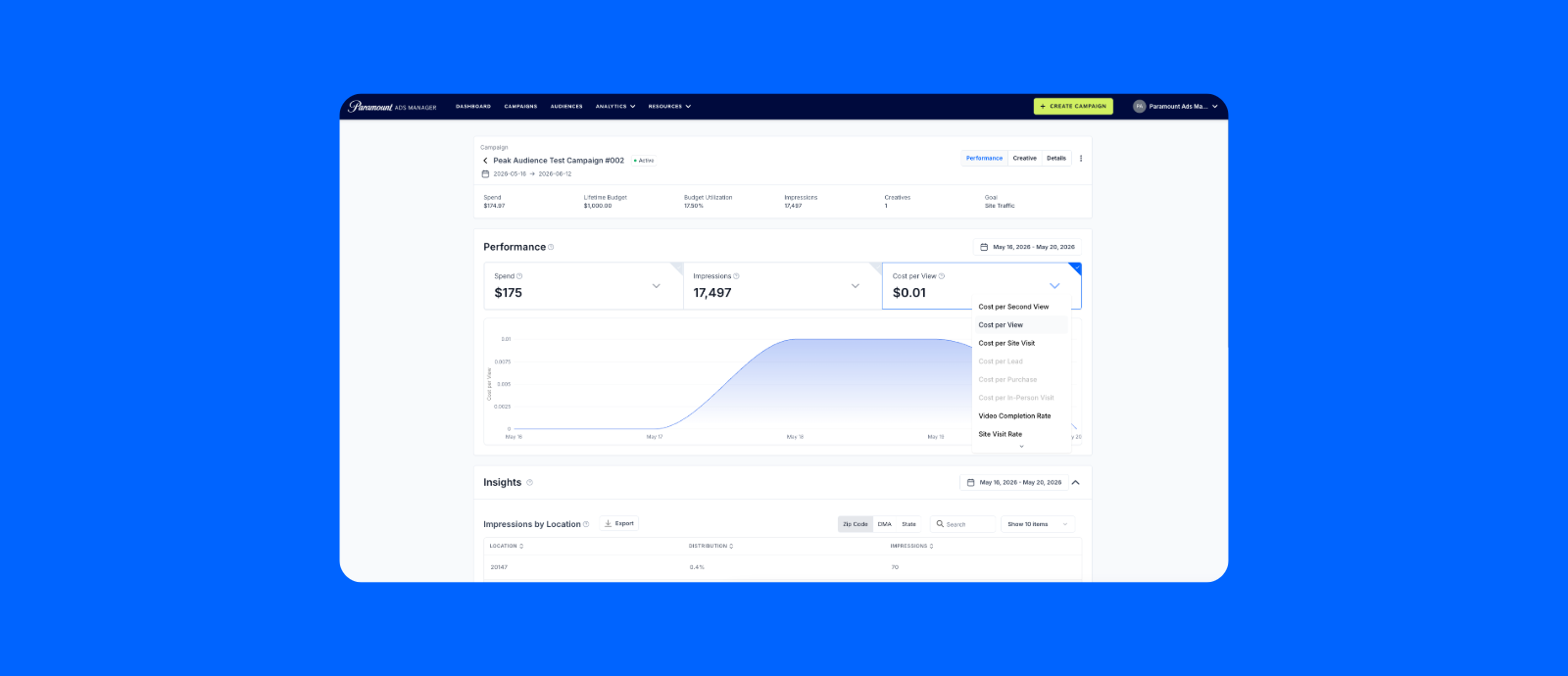
Ad-level metrics like Site Visits, Site Visit Rate, and Cost per Site Visit are now surfaced front and center across your dashboard, campaign details, and exports alongside Spend and Impressions. So you can move from "did it run?" to "did it work?" at a glance, without having to dig for it.
Reminder that you can only measure Site Visits with the Paramount Ads Manager pixel installed, so if you don't already have it, you have a few more good reasons to get it set up.
Interests & Behaviors Targeting: Now with Audience Size and Definition
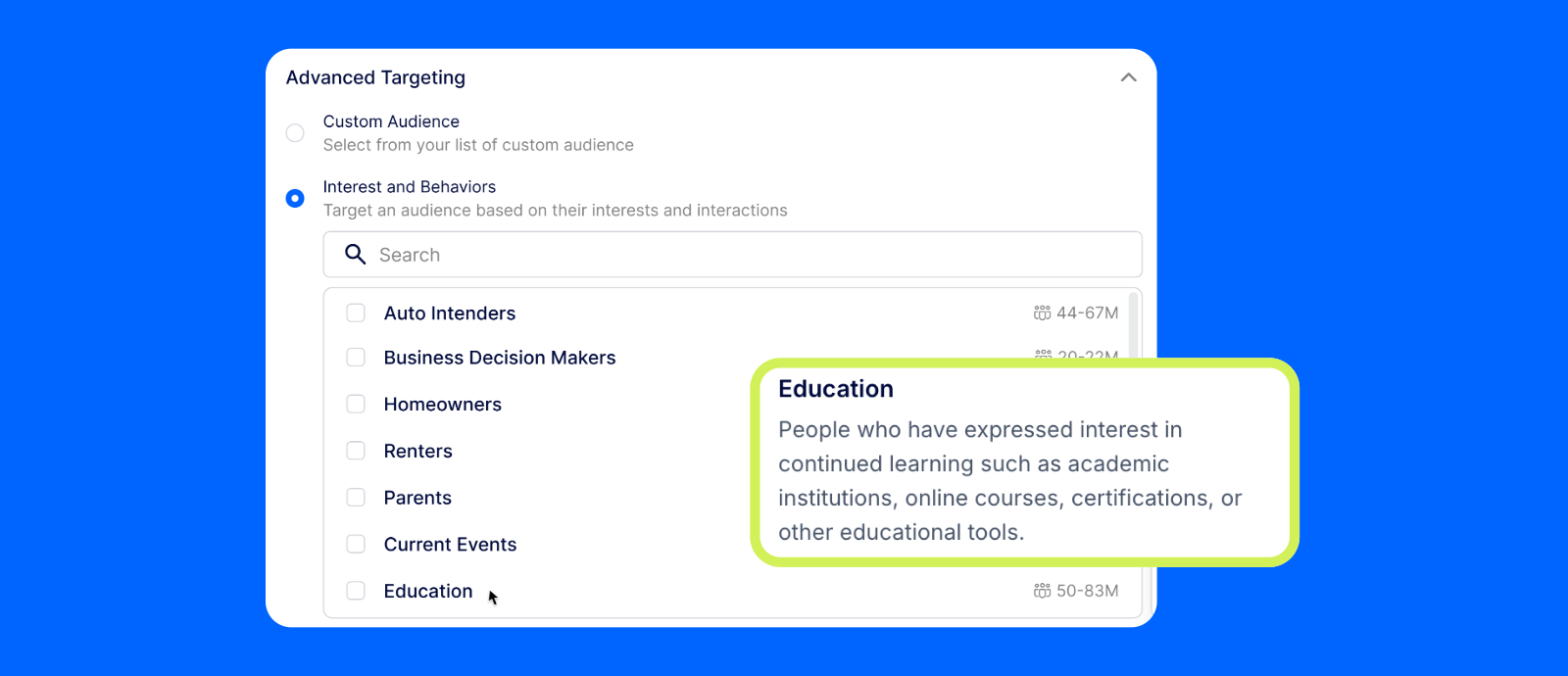
Our latest update to Interests & Behaviors targeting makes it even easier to choose the right segment before you launch. Every audience category now displays an estimated size and plain-language definition, so you know exactly who you're reaching and how big the pool is before you spend a dollar.
With this update, you can:
- Get greater transparency into your potential audience size
- Understand which segments are the right fit for your campaign goals
- Make smarter targeting decisions right from campaign setup
Ready to explore the latest updates? Try them out >
Q1 2026 Updates
These updates were made to help you reach the right audiences with more precision and extend the impact of your campaigns across the funnel. You can now tap into richer targeting signals, reconnect with high-intent viewers, and expand your reach, turning CTV into a true full-funnel channel with Paramount Ads Manager.
Interest & Behaviors Audience Targeting
With our new Interests & Behaviors targeting option, you can reach streaming viewers based on what they actually care about. That means less guessing, and more confidence that your ads are showing up in front of people already aligned with your category.
With Interests & Behaviors targeting, you can:
- Reach viewers based on real-world behavior and content engagement
- Align campaigns to audiences already showing signals related to your category
- Avoid wasted impressions by focusing on viewers more likely to care about your message
Retargeting Campaign Goal
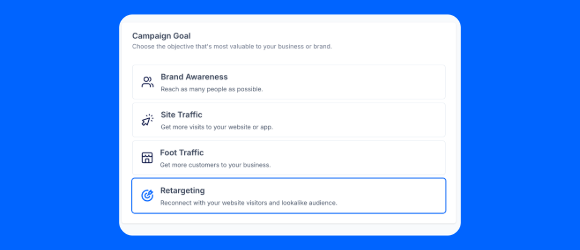
Allow us to reintroduce your brand. Our new Retargeting campaign goal lets you make a lasting second impression with people who’ve already visited your site, and find new audiences who look just like them. Bring these high-intent viewers back with high-impact TV ads across Paramount’s streaming network (just make sure you have that Pixel).
FYI: During beta testing, advertisers using retargeting saw 30%+ improvement in site visit performance by reconnecting with audiences already familiar with their brand on TV.
With Retargeting campaigns, you can:
- Reconnect with past site visitors on the big screen
- Reach lookalike audiences to scale beyond your existing traffic
- Reinforce your message during key decision moments
- Focus budget on viewers showing real buying intent
- Track measurable outcomes across the full customer journey
Learn more about Retargeting >
Performance Multiplier: Extend your campaign beyond streaming
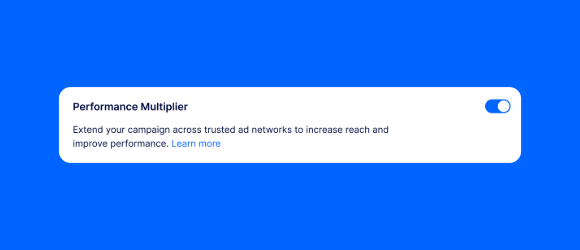
With Performance Multiplier, you can automatically extend your campaign beyond streaming to reach new audiences who closely resemble your CTV ad viewers across trusted publisher websites. It’s a simple, one-click opt-in during campaign setup that helps maximize ROI and drive measurable performance across the funnel.
Toggle on Performance Multiplier to:
- Reach similar viewers across premium publisher sites to expand your campaign’s impact
- Maximize campaign value by extending delivery beyond streaming
- Repurpose existing creative with no additional setup required
- See cross-channel performance in one unified dashboard
More reach. More precision. More performance. Just one toggle.
Ready to zero in on your target audience? Try it out >
Q4 2025 Updates
We rolled out these updates to make getting on TV simpler and more efficient at every step. With more flexible buying options, smarter delivery, and streamlined workflows, we’ve made Paramount Ads Manager easier than ever for advertisers of any size to launch, manage, and scale campaigns with confidence.
New Paramount Streaming Bundles
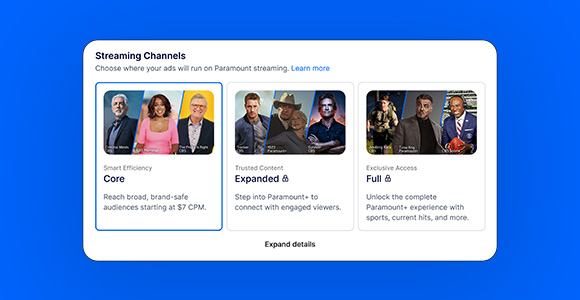
We’ve made running CTV ads easier and more affordable than ever. Paramount Ads Manager now offers some of the most competitive CPMs in streaming, giving small and mid-sized businesses a way to access the power of premium TV with any sized budget.
- Reach viewers on the biggest screen in the home without breaking your budget
- Tailored to meet you where you are, and scale into broader reach and content as your business grows
- More control over where you show up on top shows across Paramount+, CBS, Pluto TV, BET, Comedy Central, and more
Learn more about our new bundles >
Frequency Caps: Reach More Viewers with Improved Ad Serving
We’ve fine-tuned frequency caps to help campaigns with narrow targeting deliver more impressions without straying from your original goals. This means fewer under-delivery issues and more flexibility to hit the audiences that matter most.
- Reduce under-delivery for niche audiences
- Keep your ads aligned with your original targeting strategy
- Reach more viewers without extra setup
- Smarter caps = better performance
A Smoother, Smarter CTV Ad Creation Experience
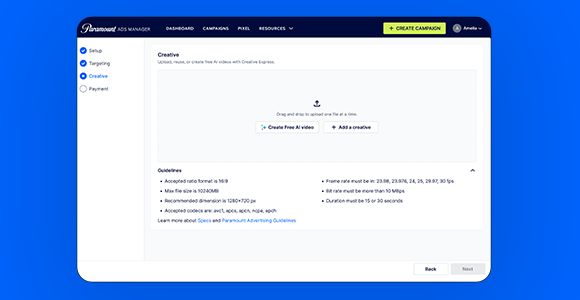
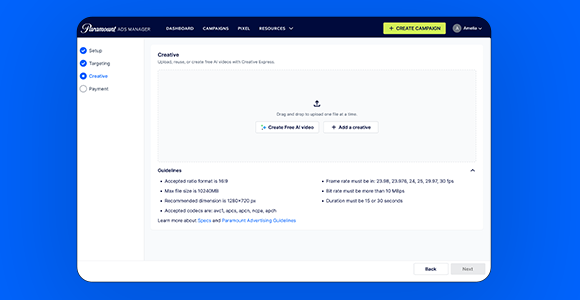
Our redesigned Creative Express flow makes uploading, generating, and editing ads even easier. Now you can save progress as you go, access real-time format tips, and follow guided prompts to help you launch with confidence. Whether you’re building from scratch or updating an existing campaign, the new flow helps you move faster and make fewer mistakes.
- Auto-saved progress so you can build and edit on your schedule
- Helpful format guidance for every ad type
- Smarter prompts that walk you through each step
- More guidance. Less guesswork. A smoother path to launch
Duplication Tool: Rebook Campaigns in Seconds
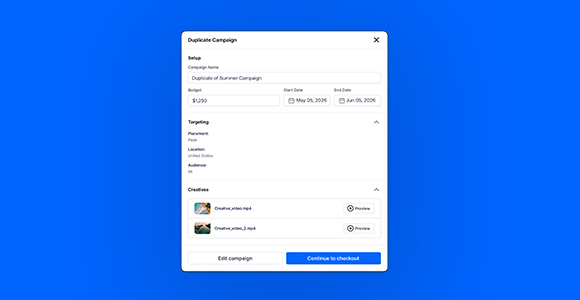
Loved a past campaign? Now you can duplicate and relaunch it in just one step. Our new Simplified Duplication Flow brings setup, targeting, and creative selection into one sleek page, complete with smart defaults and quick edits.
- Copy everything from your previous campaign in one click
- Make quick tweaks without starting from scratch
- Spend less time rebuilding and more time scaling what works
- Because great campaigns deserve an encore
Get Instant Help with our Chatbot
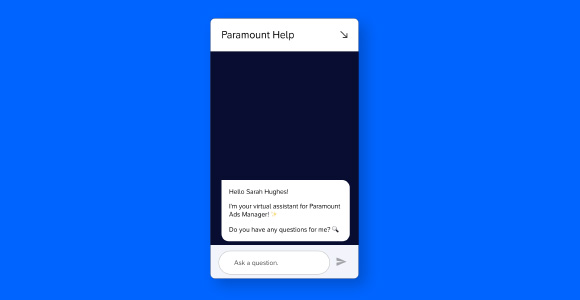
Need help setting up a campaign or have a quick question? Our new Chatbot 2.0 experience gives you faster, smarter support directly in the platform. With upgraded support and contextual guidance, you’ll get accurate answers and real-time recommendations based on where you are in your workflow - no digging required. (Coming soon: Account rep booking links!)
- Get instant support without leaving your campaign
- Smarter responses powered by advertiser feedback
- Faster troubleshooting and personalized recommendations
- It’s like having a campaign coach built right into your dashboard
Ready to try out the new updates? Start running ads >
LATEST INSIGHTS


RECOMMENDED


LANDMAN | PARAMOUNT+