












* Campaign Set Up: This is where you set your campaign name, campaign goal, budget, and dates.
* Targeting: This is where you set your targeting by location, content placement, demographics, interests & behaviors and more. As you select your targeting, you will see a forecast widget on the right hand side that shows the number of estimated impressions and price per thousand impressions (CPM). Generally speaking, the broader your targeting, the lower the CPM.
* Creative: This is where you upload your video ad. If your video ad is ready, upload your ad by clicking '+ New Creative'. If you do not have your video ad ready yet, select 'Add Creative Later.'
* Payment: This is where you review the set up of your campaign and make any necessary changes. When you are ready, click 'Checkout' and proceed to the Payment page.


How Midwest Photo Drove 41% Higher Engagement with CTV Retargeting on Paramount Ads Manager

Objective
Midwest Photo - the largest photo, video, audio, and printing specialty store in Central Ohio – wanted to put CTV advertising to the test.
Their marketing mix already included paid search and shopping, paid social, email, and local and regional brand efforts. While these channels did a solid job of capturing existing demand, the team was looking for a way to build demand more consistently and stay top-of-mind with the right audience earlier in the buying journey.
They’d experimented with CTV before, but this time they wanted to make their CTV budget work harder by understanding what would drive more efficient site traffic.

“Paramount Ads Manager has been an effective and efficient way for us to stay in front of high-intent audiences. The platform’s retargeting capabilities and clear reporting made it easy to understand performance and confidently extend reach without wasted spend.”
Solution
Using Paramount Ads Manager, Midwest Photo ran a controlled CTV A/B test to measure the impact of retargeting.
The test consisted of two campaigns:
- One standard campaign without retargeting
- One campaign using Paramount Ads Manager’s retargeting feature, which allows advertisers to re-engage viewers who had previously visited their website or watched their ads across Paramount streaming platforms
By running both campaigns during the same flight and measuring against the same KPIs, Midwest Photo was able to directly compare efficiency and engagement – and understand the incremental impact of adding retargeting to their CTV strategy.
The A/B test showed that retargeting made a meaningful difference. Compared to the standard CTV campaign, the retargeting campaign delivered stronger engagement rates and improved efficiency, proving that reconnecting with previously interested audiences can help CTV work harder against performance goals.
Together, the results demonstrated that adding retargeting to Midwest Photo’s CTV strategy helped turn awareness into action more effectively – without increasing overall media investment.
Results reflected in this case study were measured immediately following the conclusion of the campaign. Campaigns using pixel-based attribution include a 28-day lookback window, and results may update slightly as additional conversions are attributed.
“Paramount Ads Manager made that approach easy for us, both from a budget and execution standpoint. It gave us confidence that we could test CTV thoughtfully, understand performance, and layer it into our existing strategy without overcomplicating things or introducing wasted spend.”
Results
Want to learn more about Retargeting and other ways to reach the right audience, at the right time?
Explore Targeting Tools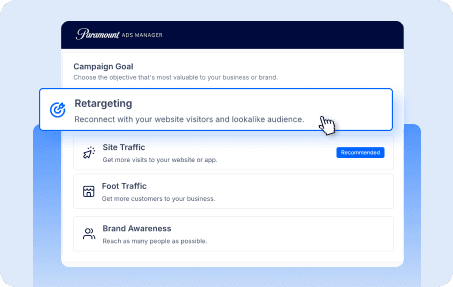


LIONESS | Paramount +
FAQ